Crew Tips

Tip pooling and payroll for every restaurant, on the systems you already run.

Crew Tips pools and allocates gratuities across every location, pays out through your existing payroll, and keeps W-2s ready for No Tax on Tips reporting — with a compliance agent that reviews every shift each week.

Tip pools, live
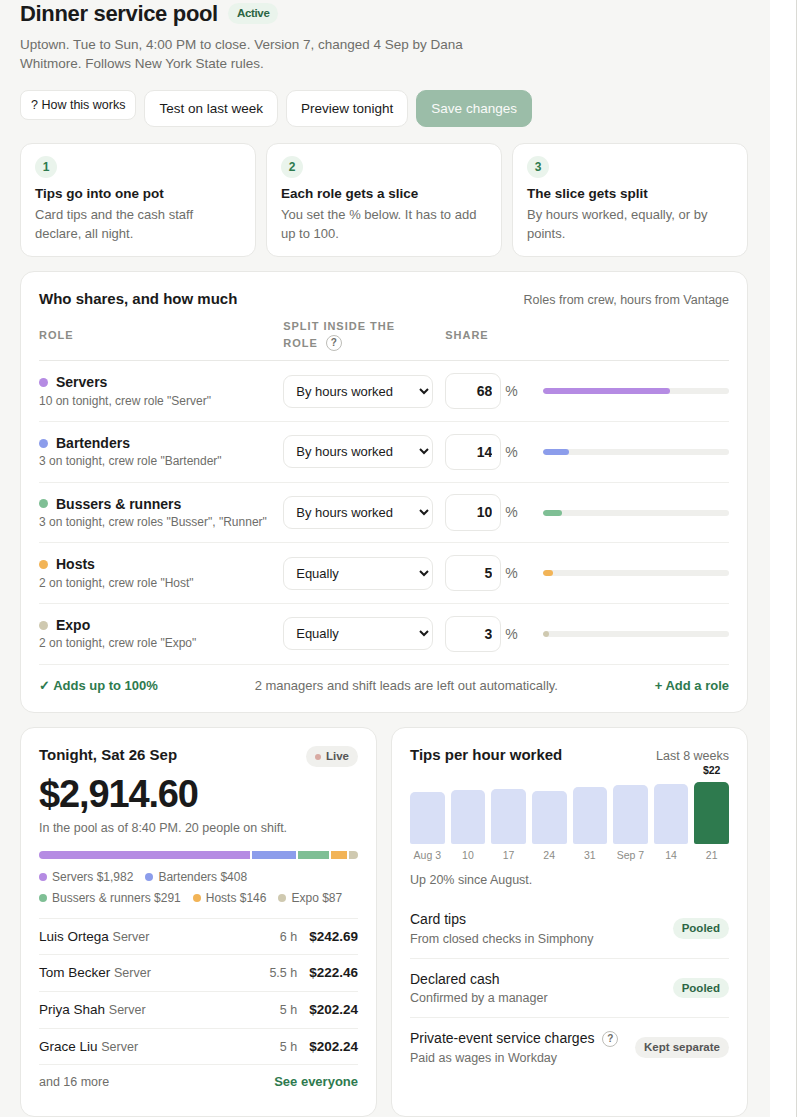
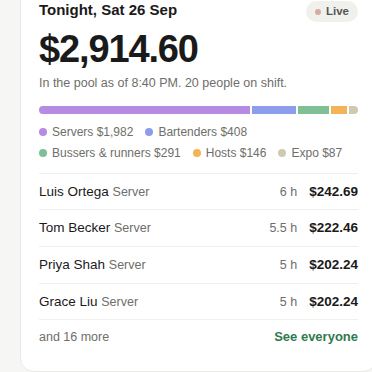
Manager dashboard showing tip pools by role for a restaurant location, desktop view

Manager view — tip pools by role, by location

Works with Oracle Hospitality Simphony, Vantage, and Workday — plus other POS, scheduling, and payroll systems on request.

Vantage

What Crew Tips does

Everything a multi-location tip pool needs

Six ways Crew Tips runs tip pooling and payroll for every location.

Manager editing tip pool shares by role, desktop view

Configurable tip pooling by location

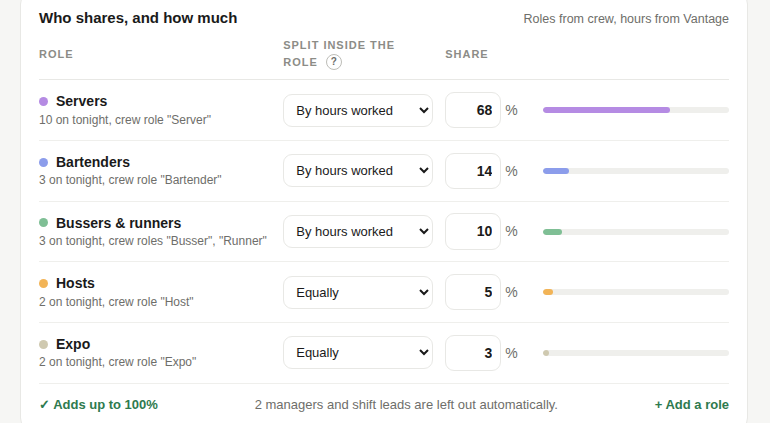
Each restaurant keeps its own tip pool: its own share by role, its own split method — by hours worked, equally, or by points — and its own state and city rules. Managers edit shares in place, preview or test a change against last week's real numbers before it goes live, and every version is kept with a one-click restore.

Manager payouts view, desktop

Workday, Vantage and Oracle Hospitality POS integration

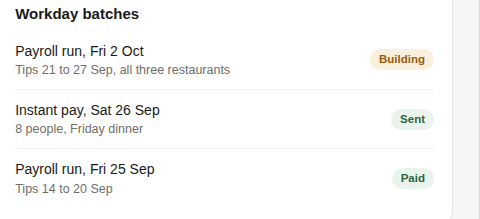
Tips and service charges come from Oracle Hospitality Simphony, hours worked from Vantage, and payouts go out through Workday payroll or Workday instant pay. Every connection is health-checked continuously, so a missing punch or a late feed shows up before it becomes a payroll problem.

Access and brand permissions view, desktop

Role-based access

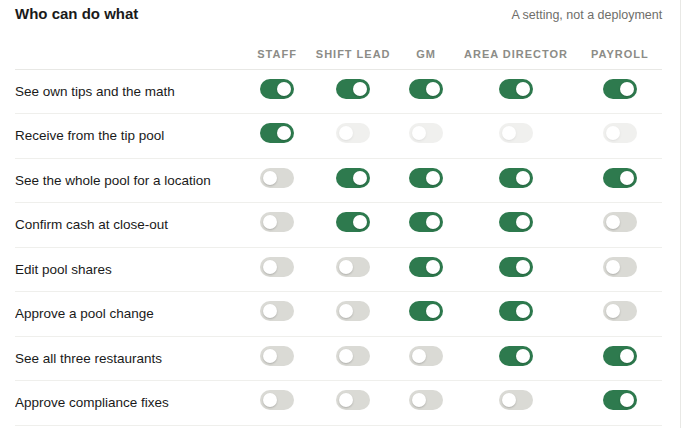
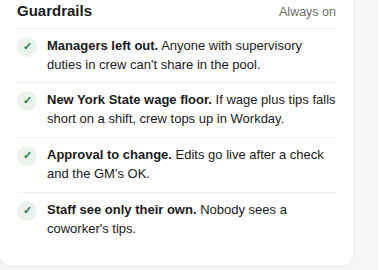
Managers see their own restaurant's pool; area directors and payroll see all locations; every server sees only their own tips. Anyone with supervisory duties in crew is left out of every pool by default — the FLSA exclusion is enforced automatically, not left to a manager to remember.

Employee My Tips view on phone

Employee portal

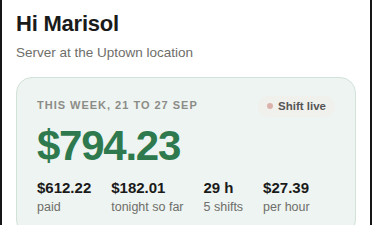
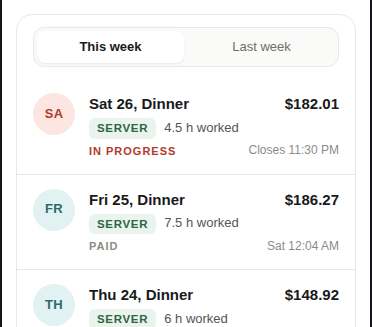
Staff see every shift with the hours worked and the math behind their share, declare cash tips before clocking out, and can turn on instant pay so tips land the next morning through Workday. Nobody sees a coworker's tips.

Manager editing a tip pool share, desktop view

Low-code changes to tip-out structures

A manager edits a share or a split, previews what tonight would pay, and tests the change against last week's real tips before saving — nothing changes until crew checks the math and the GM approves. Every version is kept, with who changed what and when.

Tip pool configuration for a location, desktop view

Scalability to new locations

Copy an existing pool to a new location and its shares and guardrails come with it; the rule set switches automatically to the new state or city. Adding a fourth or fifth restaurant is a form, not a project.

Compliance, including No Tax on Tips

A compliance agent reviews every shift, every week

Weekly compliance review for payroll, desktop view

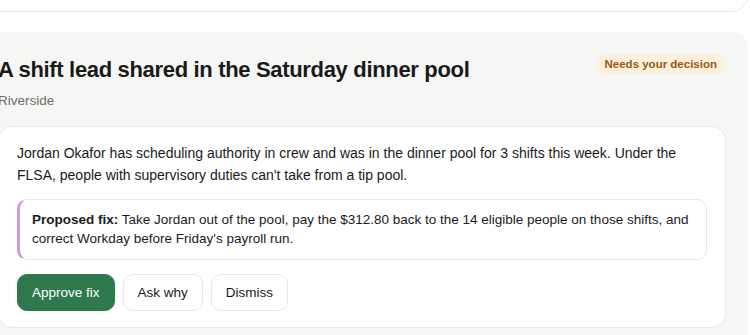
Every week, the compliance agent reviews every shift across every location. Under the No Tax on Tips law, every tipped employee's W-2 needs a Treasury Tipped Occupation Code in Box 14b and their qualified tip total in Box 12 under code TP, starting with 2026 earnings filed in January 2027 — the agent flags anyone missing either one. It also classifies each check as a tip or a service charge, flags supervisors who ended up in a pool, catches tip-credit shortfalls, and tracks progress toward the quarter's 45B credit. It proposes a fix for each finding — a person approves before anything changes.

Employee experience

Their brand, in the staff's pocket

Employee My Tips view on phone, showing hours worked and live share

Staff see the restaurant's own name and colors, not Talkpush's. Every shift shows the hours worked and the live share as it builds during service, with cash tips declared before clocking out, pay statements, and a way to ask a question.

How it works

From punch to paycheck, in three steps

This is some text inside of a div block.

Data in

Checks and service charges from the POS.

Hours worked from scheduling.

This is some text inside of a div block.

Crew Tips

Pools, nightly close-out.

Weekly compliance review, audit log.

This is some text inside of a div block.

Pay out

Payroll batches, instant pay.

W-2 reporting.

Reporting and audit

A record for every dollar

Audit log for payroll, desktop view

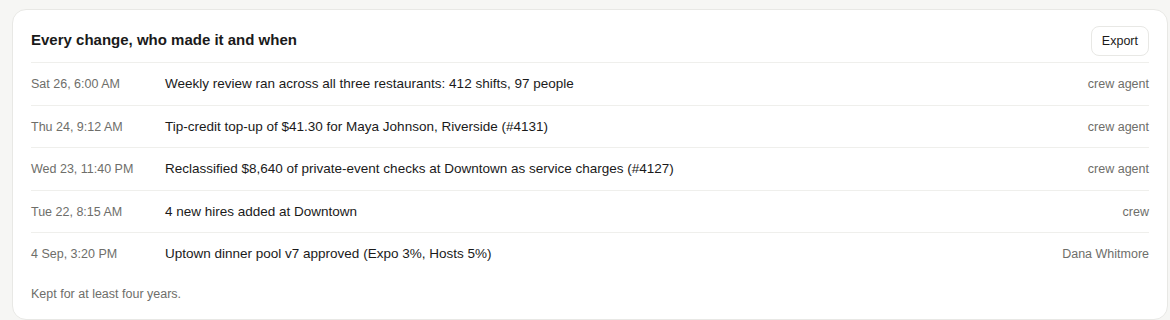
Every night, a pool statement. Every week, a payroll export. Every quarter, a 45B summary. Every change — who made it and when — kept in the audit log for at least four years.

Why Crew

Built on the roster Crew already has

Crew already holds the roster for every location: who's on shift, their role, and their hire date. A tip pool needs exactly that data — who's eligible, who's excluded because of their role, which rule set applies where — so Tips reads data Crew already has, rather than bolting a separate system on top. Talkpush is the platform large employers use to hire and manage hourly teams at scale, with AI agents that work alongside a person rather than in place of one.

See it on your systems, with your rules